

Video Gen
Text-to-video and image-to-video with start/end frames, references, audio, and the Seedance family.
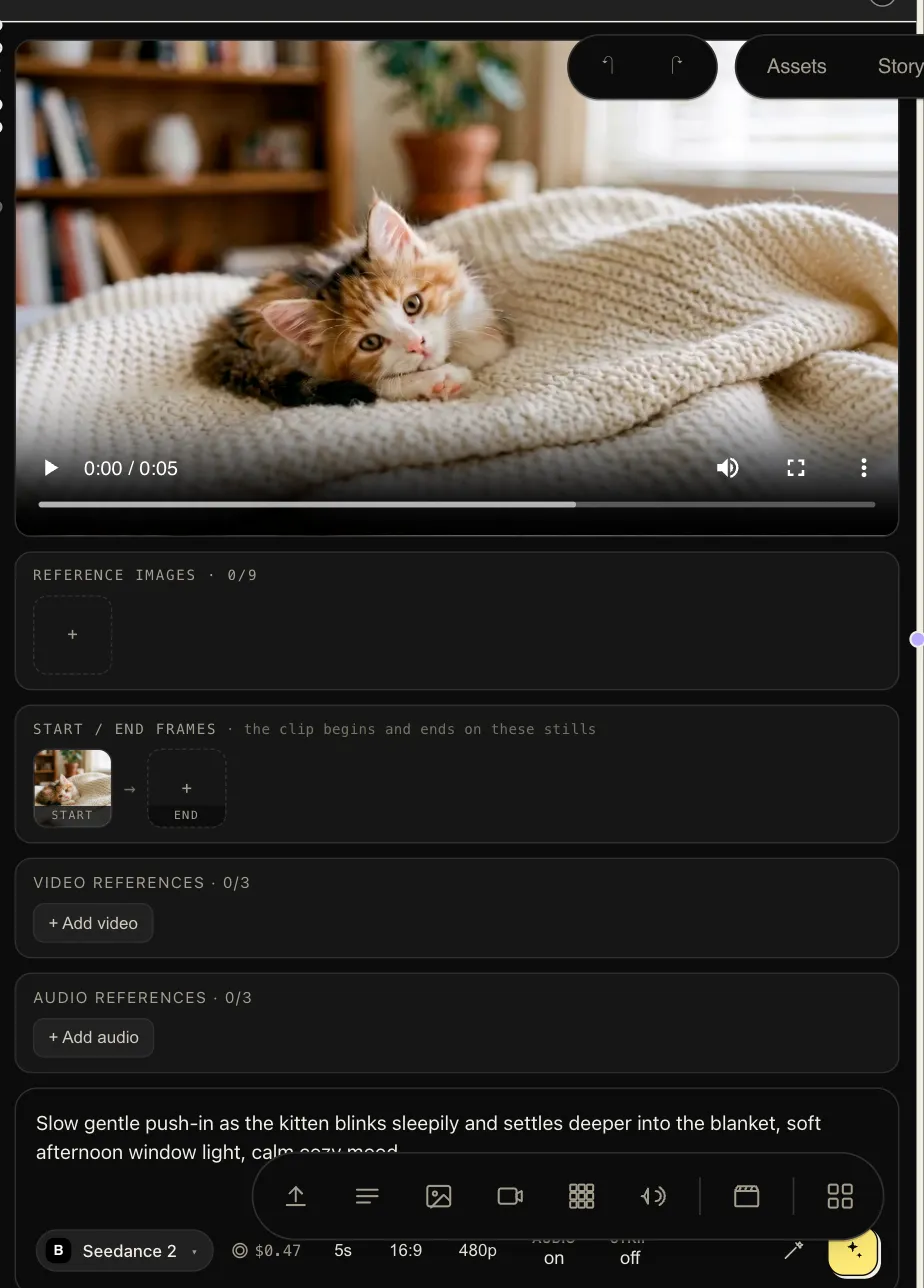
Video Gen produces a clip from a prompt — optionally anchored by a start frame, an end frame, and reference images. The catalog spans the Seedance family (Seedance 2.5 is the current flagship, up to 1080p, with native audio), FLUX 3, Kling, Veo-class models, and dozens more.
FLUX 3 (Black Forest Labs) is the sound-first pick — every clip arrives
with generated dialogue, effects, and ambience, 5–20 seconds at 720p or
1080p. It conditions on frames only: wire start_frame and/or end_frame,
spend the prompt on what happens. It takes no reference images — the node
refuses them loudly rather than dropping them. It’s also the catalog’s first
model served by a second provider, Atlas Cloud, which is why the model
picker now names who serves each model.
| Inputs | prompt (text), start_frame / end_frame (image), image_1 … image_10 (image references), video_references + driving_video (video), audio_references + audio (audio) |
| Outputs | video |
One rule shapes how you use these: on the flagship family a run uses frames
or the reference kit, never both — the node validates this loudly instead
of silently dropping inputs. Video prompting
covers both workflows in depth, including driving a generation’s camera with
driving_video and addressing references as @image1 / @video1 in the
prompt.
Parameters
Section titled “Parameters”| Param | Notes |
|---|---|
model |
The video model. Capabilities differ — frame anchoring, reference support, audio, max duration — and the node shows only what the selected model supports. |
prompt |
Motion, camera, and scene description. Fallback when the input isn’t wired. |
start_frame / end_frame |
Anchor the first and/or last frame to exact images — the backbone of character-consistent shots. |
reference_images |
Steer identity and style without pinning exact frames. |
duration |
Clip length in seconds, within the model’s range. |
aspect_ratio |
16:9, 9:16, 1:1, … |
resolution |
Up to 1080p on models that support it (e.g. Seedance 2.5). |
generate_audio |
Native soundtrack/ambience on models that can. |
strip_metadata |
Remove provider metadata from the delivered file. |
prompt_enhancer |
off / generic / cinematic — cinematic is tuned for exactly this node. |
Patterns
Section titled “Patterns”- Text-to-video — prompt only. Best for establishing shots and abstract motion.
- Image-to-video — wire a generated still into
start_frame; the clip animates out of it. Generate the still with Image Gen first and you control composition precisely. - First-and-last — pin both
start_frameandend_frameand let the model interpolate the move between two art-directed moments. - Prompt for motion, not content. The frames carry what’s in the shot; spend your prompt on what happens — camera move, action, pacing, mood.
Video runs are the heaviest jobs on the canvas — they’re resumable, so navigate freely while they render. Need frames back out of a clip? See Character Swap and the utilities. Want the same ad with a different presenter? That’s Ad Recast.