

Choosing a model
A strategy for picking image, video, and language models — by task, not by name.
The model catalog is curated and moves fast — new models appear in the dropdowns without any change to your graphs, so this page teaches how to choose, not a frozen inventory. The dropdown on the node is always the source of truth for what’s available today: searchable, grouped by provider, with the per-run price right next to the pick.
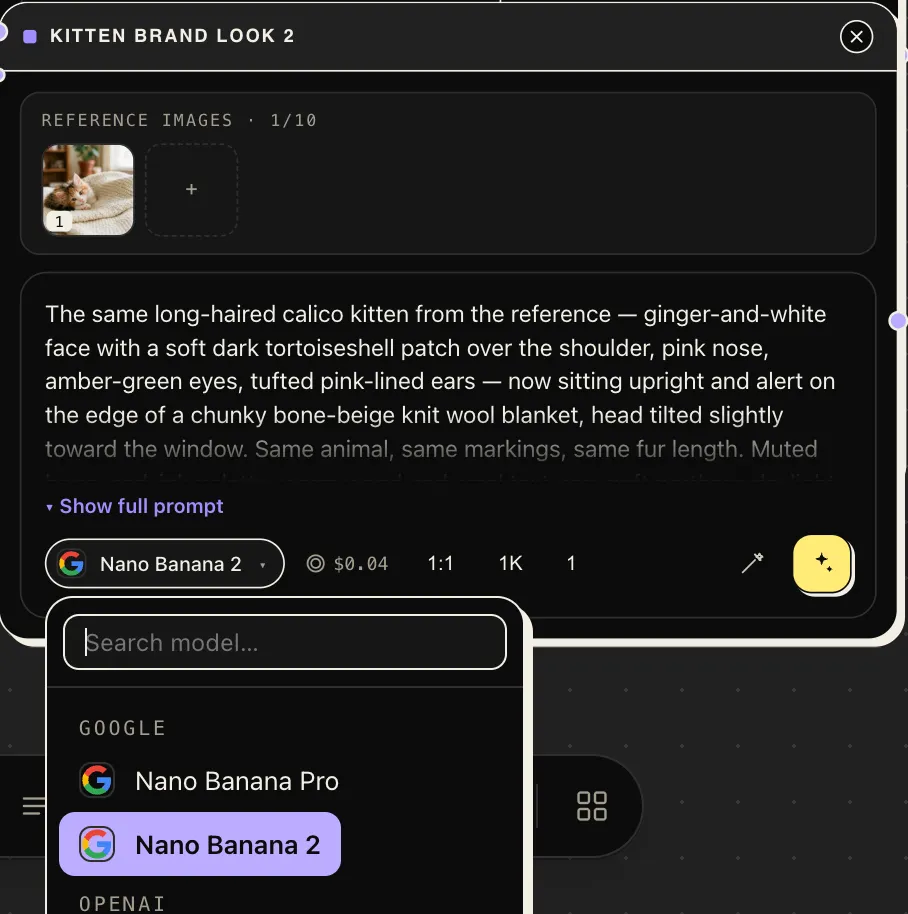
Image models — pick by task
Section titled “Image models — pick by task”| You want to… | Reach for |
|---|---|
| Compose a new image from instructions, references respected | The instruction-following flagships (Nano Banana Pro / 2, GPT Image 2). They read long prompts carefully and handle “the jacket from reference 1 on the person from reference 2” briefs best. |
| Edit an existing image faithfully — change one thing, keep the rest | The dedicated edit variants (…-edit models, the Kontext family, Qwen Edit). They’re anchored to the source image by design; ask for the delta, not a re-description. |
| Photoreal look development | The Seedream family — strong at photographic lighting and texture, with matching edit variants to stay in-family. |
| Text and lettering in the image | Typography-strong models (the Ideogram family). Most other models still mangle words. |
| A recurring character across many images | Character-focused models (character/reference variants in the dropdown) — or better, reference discipline: see Reference images. |
Two catalog-wide conventions:
-pro/-premiumtiers trade cost for quality. Draft on the standard tier, re-run the keeper on the premium one — see Usage & costs.- A model that ignores a parameter simply doesn’t show it — if there’s no strength or temperature knob on the card, that model doesn’t take one.
Video models — pick by control level
Section titled “Video models — pick by control level”- The flagship generation family (Seedance 2.5 and siblings) is the default: up to 1080p, native audio, and the full control surface — start/end frames or a multimodal reference kit (see Video prompting for why it’s or).
- FLUX 3 is the sound-first alternative: clips up to 20 seconds that arrive with generated dialogue, effects, and ambience, at a per-second price well under the flagship. The trade: it conditions on start/end frames only — no reference images. It’s also the catalog’s first model from a second provider (Atlas Cloud); the picker names who serves what.
- Cost tiers exist here too —
fast,mini, andoffpeakvariants render the same kind of shot for less; use them for drafts and blocking, then re-render finals on the flagship. - Specialists: human-performance animation models for people and faces, and the swap models that power Character Swap. If the shot is about a person doing something specific, try a specialist before brute-forcing the generalist.
Language models — pick by weight
Section titled “Language models — pick by weight”- Fast tier (Haiku, Flash-class): prompt expansion, batch planning, quick descriptions — most canvas LLM work belongs here.
- Balanced tier (Sonnet-class, GPT): script drafts, structured briefs, anything a person will read.
- Heavy tier (Opus-class): the cinematic writing chain with critique enabled, nuanced brand voice, long-context work.
When in doubt
Section titled “When in doubt”Run the same prompt through two candidates side by side — duplicate the node, switch the model, run both. On a canvas that comparison costs one wire and a few cents, and it answers the question better than any table.