

Templates
Package a working pipeline and re-run it with new inputs.
A template is a canvas pipeline packaged for reuse. Build the graph once, mark what varies, and anyone in your organization can run it with their own inputs — no canvas editing required.
Anatomy of a template
Section titled “Anatomy of a template”Two special nodes define the template’s contract:
- Template Input nodes declare the fields a runner
fills in — a brief, a product photo, a voice sample. Each has a name and a
type (
text,image,video,audio). - Template Output nodes mark which results the run delivers back.
Everything between them is a normal graph — models, references, library styles — frozen at whatever settings you shipped it with.
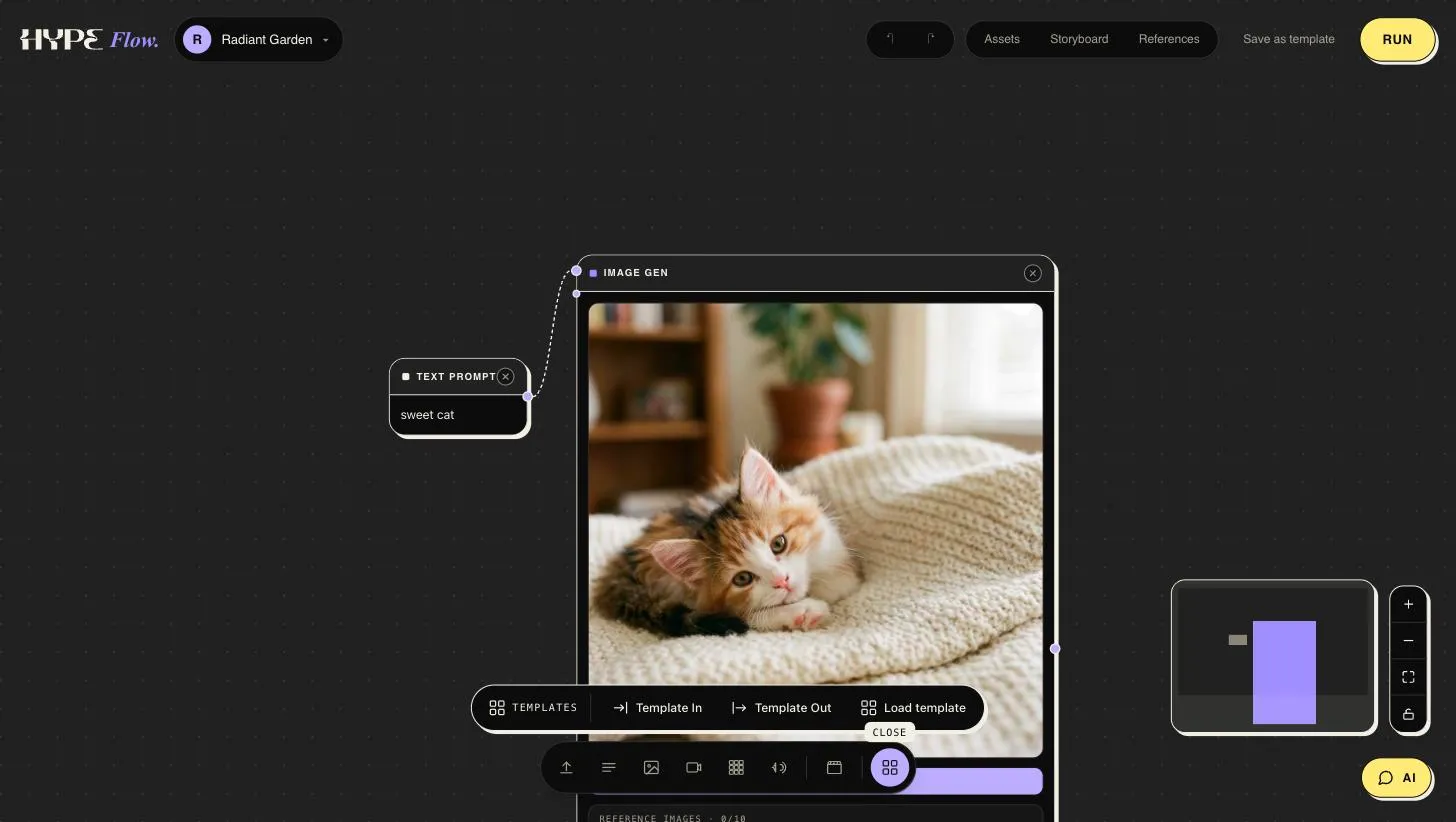
Both nodes live in the palette’s template family, next to Load template for dropping a saved template onto the canvas; Save as template in the top bar packages the current graph.
Saving one
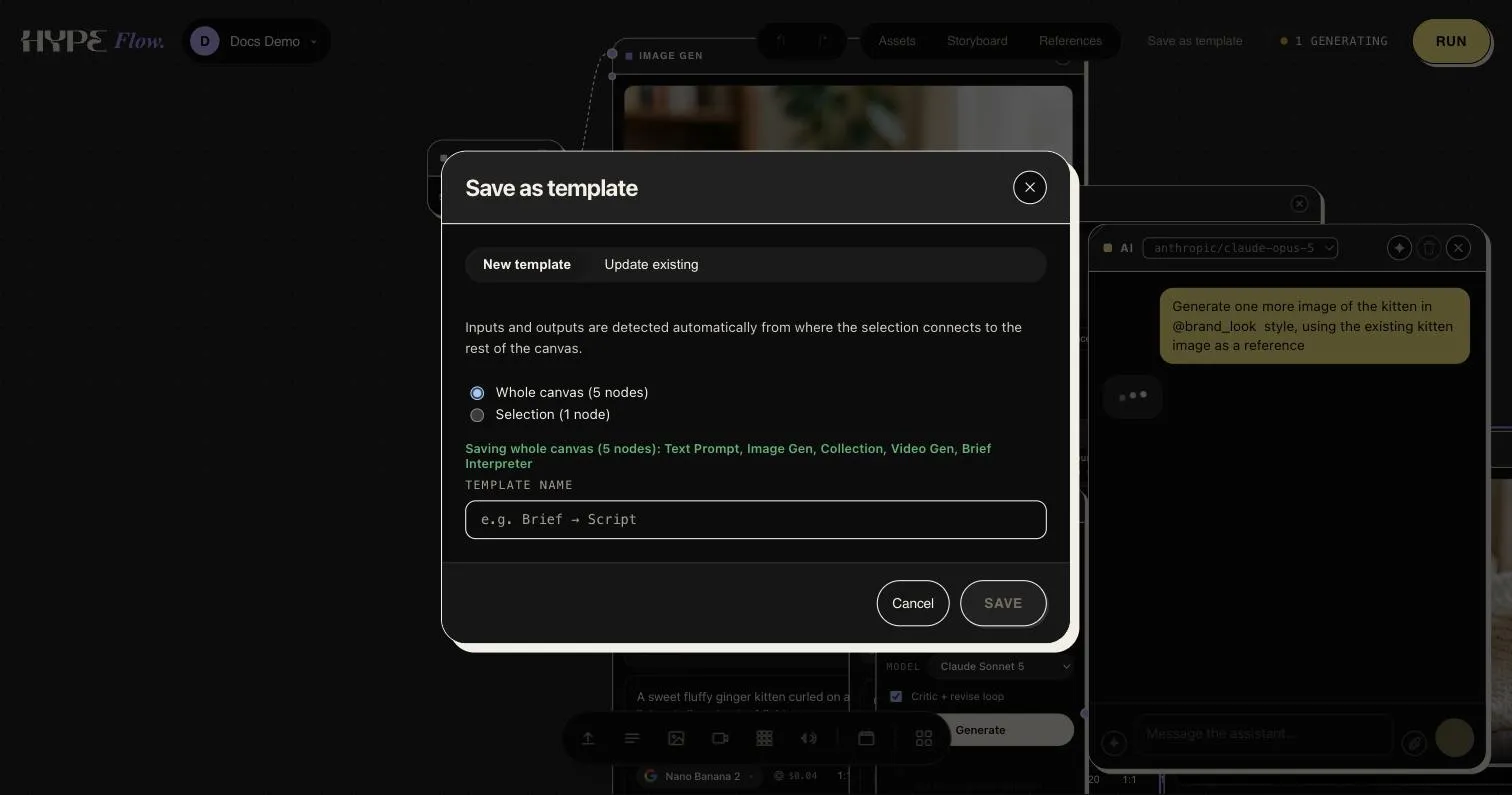
Section titled “Saving one”Save as template packages the whole canvas or just your selection — and inputs/outputs are detected automatically from where the selection connects to the rest of the canvas, so carving a reusable step out of a working pipeline needs no rewiring. Explicit Template I/O nodes remain the way to declare the contract deliberately. The same dialog updates an existing template in place, so a template can evolve with its pipeline.
Running a template
Section titled “Running a template”Pick a template, fill its inputs, and run. The run executes on background workers like any other job: you can watch progress, leave, and collect the outputs when it’s done. Results are saved as project assets, same as canvas runs.
Templates can also be run by the chat companion or from Claude over MCP — useful for batch work (“run the product-shot template once per photo in this folder”).
Authoring tips
Section titled “Authoring tips”- Name inputs for the runner, not the graph.
Product photobeatsimage_1— input names are the form labels the runner sees. - Pin your look. Bake styles in via library
@-tags so every run stays on-brand even with wildly different inputs. - Test at the edges. Run the template once with a minimal input and once with your longest realistic brief before sharing it.