

Image Gen
Single-image generation with up to ten reference images, across the full image model catalog.
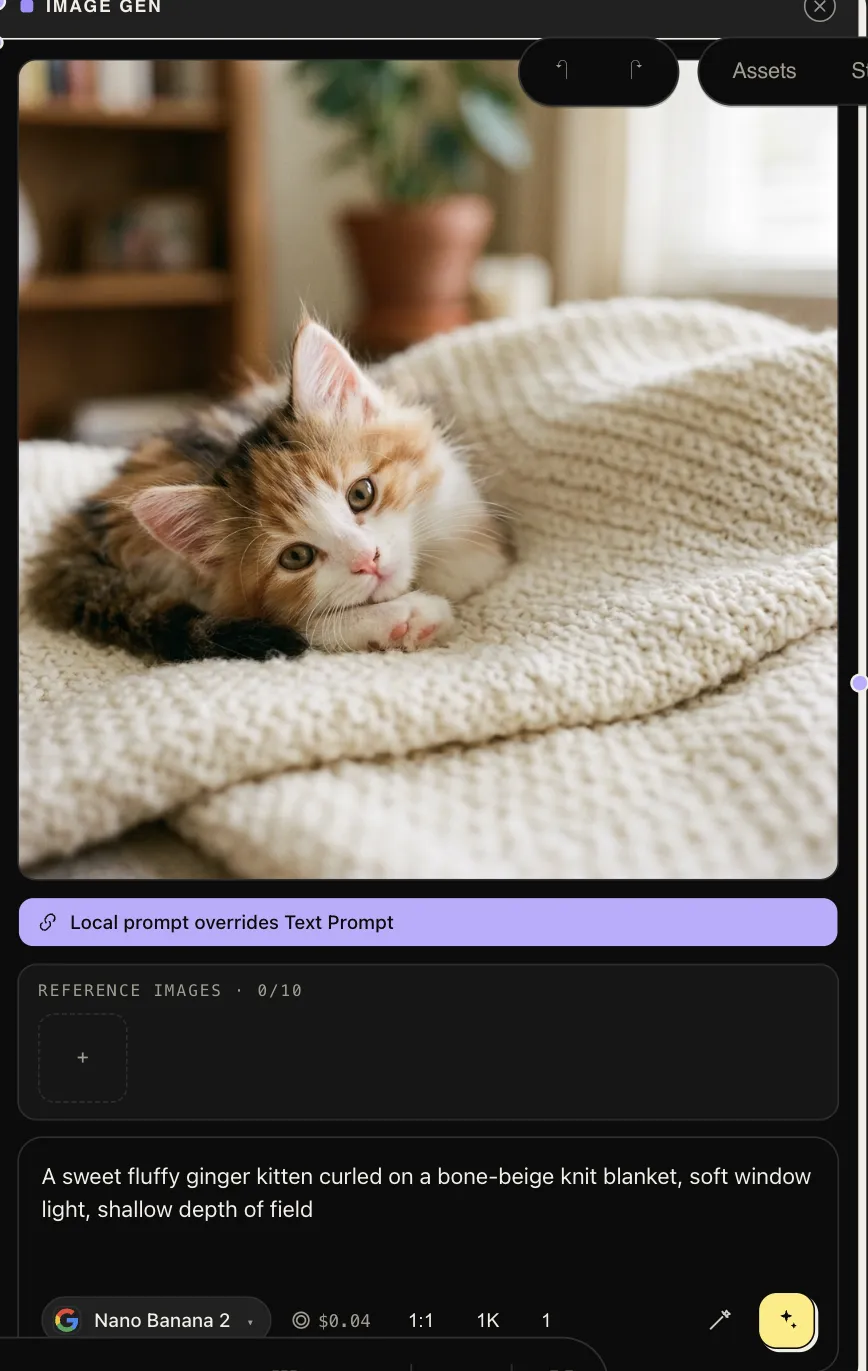
Image Gen produces one image (or a small set of variants) from a prompt, with up to ten reference images steering subject, style, or composition. It fronts the whole image catalog — Nano Banana Pro & 2, GPT Image 2, Seedream 4.5/5, FLUX 2 & Kontext, Ideogram v3, Imagen 4, Qwen Edit, and more — behind one consistent node.
| Inputs | prompt (text), image_1 … image_10 (references) |
| Outputs | image |
Parameters
Section titled “Parameters”| Param | Notes |
|---|---|
model |
The image model. Reference handling and edit strength vary by family — Kontext and the -edit models are strongest at faithful edits; Nano Banana and GPT Image at instruction-following composition. |
prompt |
The node’s own prompt. If a text node is wired in and this field has text, the local text wins — the node shows a “local prompt overrides” banner; clear the field to let the wired value drive. |
reference_images |
Complements the wired reference slots. |
aspect_ratio |
E.g. 1:1, 16:9, 9:16 — as supported by the model. |
quality |
Model-dependent quality/size tier. |
output_format |
png / jpeg / webp where the model offers a choice. |
n_variants |
Generate several candidates in one run. |
prompt_enhancer |
off / generic / cinematic. |
Only parameters the selected model actually supports are shown — a control you don’t see is one that model ignores.
Working with references
Section titled “Working with references”References are the difference between “an image like this” and “this
product / character, in a new scene”. Wire photos into image_1…image_10
and address them in the prompt (“the jacket from the reference, worn by…”).
Order matters to some models — put the most important reference first. More in
Reference images.
Gemini Image
Section titled “Gemini Image”A sibling node, Gemini Image, exposes Gemini’s native image controls that
the generic node doesn’t: temperature, top_p, thinking_level, and
resolution, alongside the usual prompt, references, aspect ratio, and
variants. Reach for it when you specifically want Gemini’s rendering and want
to tune it; reach for Image Gen for everything else.