

Video prompting
Frames versus references, the multimodal reference kit, and how to prompt for motion.
Video is the deepest control surface on the canvas. This page covers the one rule that shapes everything, the two workflows it produces, and how to write prompts that direct motion.
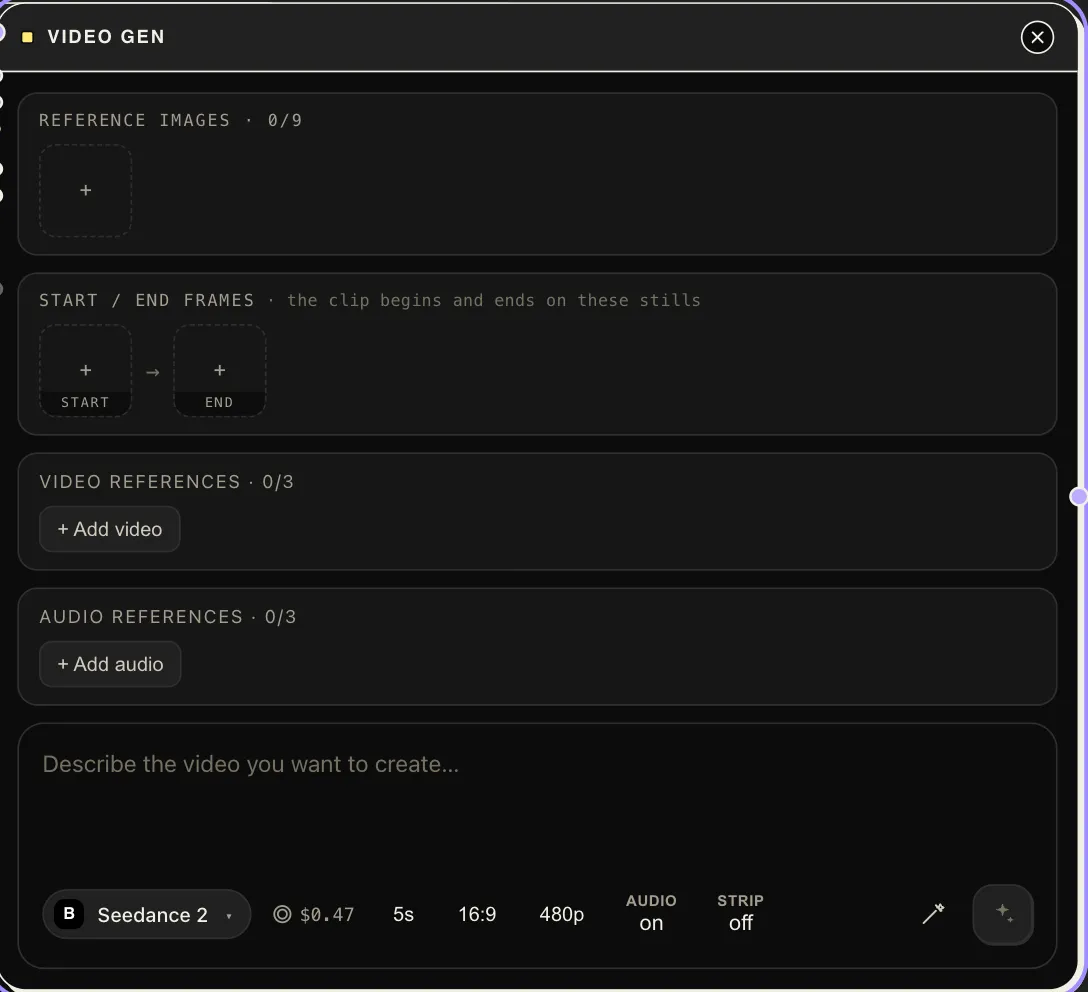
The one rule: frames or references
Section titled “The one rule: frames or references”On the flagship video family, a generation runs in one of three mutually exclusive modes:
- First frame — pin how the clip opens.
- First & last frames — pin both ends, the model interpolates the move.
- Multimodal reference kit — images, video clips, and audio as references that guide the result.
One run gets frames or references, never both. The node enforces this loudly — if you wire start/end frames and references together, it refuses with an error rather than silently dropping anything.
Workflow A: exact ends
Section titled “Workflow A: exact ends”Wire start_frame and end_frame with art-directed stills. The first and
last frames are pixel-locked; your prompt directs what happens between them.
This is the backbone of storyboard work — generate the two moments with
Image Gen, then let video interpolate the shot.
Workflow B: the full element kit
Section titled “Workflow B: the full element kit”When the shot needs more ingredients than two frames — a camera move, an environment, a look — put everything in as references and keep the ends soft:
- A previz or captured clip into
driving_video— the generation follows its camera motion. - Your opening look into reference slot 1, closing look into slot 2, environment references after.
- Then anchor them in the prompt by slot: references are addressable as
@image1,@image2,@video1in slot order — “Follow the camera motion of @video1. Open exactly on @image1, end on @image2.”
The trade: in reference mode, frames are strong suggestions, not locks. If a frame must be exact, that’s Workflow A.
Reference-clip constraints (checked against the provider): clips up to 720p-class resolution (1280×720 fits, 1080p doesn’t), 2–15 s each and ≤15 s combined, mp4/mov, ≤50 MB, 24–60 fps. Output resolution is independent — drive with a 720p previz, render the shot at 1080p.
Prompting for motion
Section titled “Prompting for motion”- The frames carry the content; spend the prompt on motion. Camera verbs first: push in, orbit, whip pan, handheld drift. Then subject action, then pacing and mood.
- One beat per clip. A 5–10 second generation holds one action well; “she turns, smiles, picks up the cup, and leaves” is four clips.
- Name the references you wired (
@image1,@video1) — unaddressed references pull weight unpredictably. - Let the enhancer help:
prompt_enhancer: cinematicis tuned for exactly this node, and works well when your input is a shot-list line rather than a finished prompt. - Draft cheap, finish expensive. Block the shot at 480p/short duration on a fast tier, then re-run the keeper at 1080p — see Choosing a model.