

Collection
Generate a style-consistent batch of images from one brief, with a planning pass and per-image regeneration.
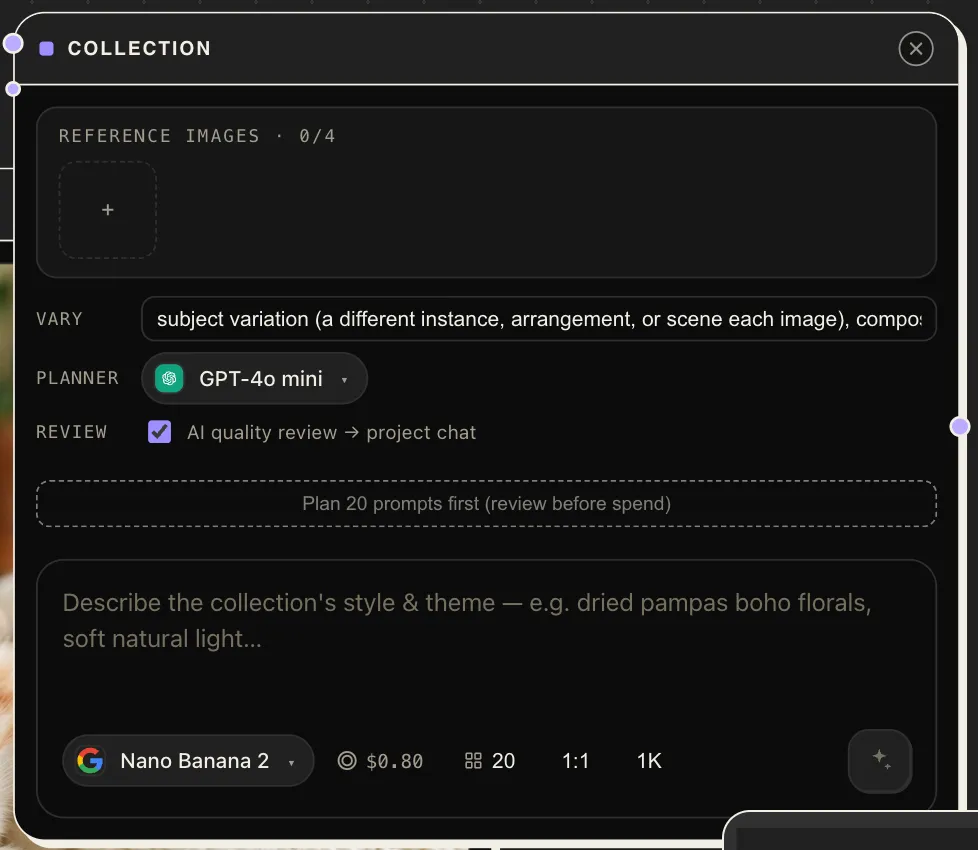
Collection generates a batch of style-consistent images from a single brief — forty product shots, a set of social tiles, a stock-style series. It’s not a loop around Image Gen: a planner model first turns your brief into one distinct prompt per image, so the batch varies where you want variety and holds where you want consistency.
| Inputs | prompt (text — the brief), image_1 … image_4 (references) |
| Outputs | images |
Parameters
Section titled “Parameters”| Param | Notes |
|---|---|
model |
The image model used for every frame. |
count |
How many images the batch produces. |
variation_axes |
What should differ across the batch — e.g. angle, scene, time of day — while everything else stays consistent. |
planner_model |
The LLM that expands the brief into per-image prompts. |
planned_prompts |
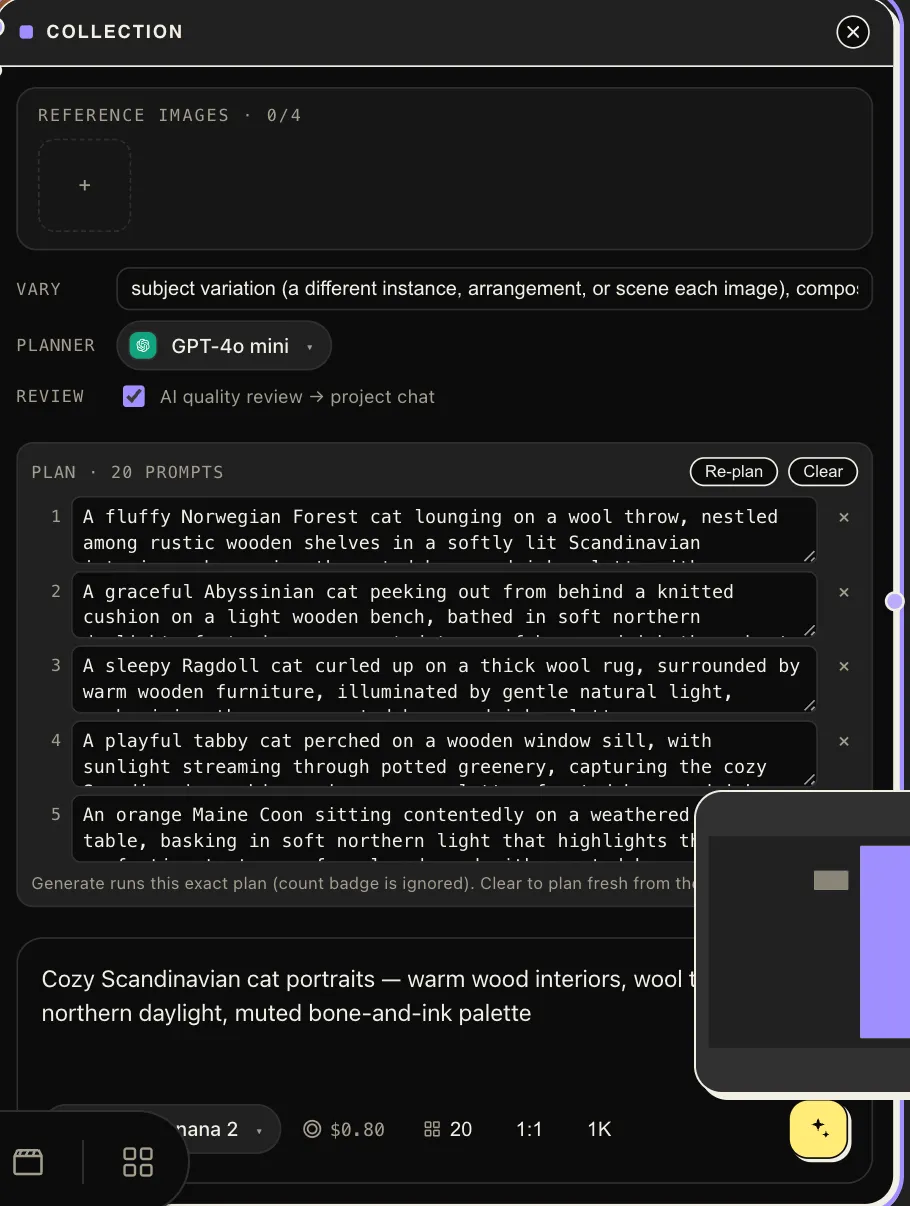
The planner’s output, editable — review and tweak individual prompts before (or after) generating. |
review |
Optional automatic review pass over the finished batch. |
aspect_ratio, quality, output_format |
As in Image Gen. |
reference_images |
Complements the wired reference slots. |
The workflow
Section titled “The workflow”-
Brief it — one paragraph on subject, look, and purpose. Add reference images to lock a product or character.
-
Set the variation axes — this is the lever that makes a batch feel curated instead of repeated.
-
Generate — planning and generation execute as a background job; watch frames land as they finish. Prefer to see the plan first? Plan prompts first writes all the per-image prompts for review — edit or delete any of them — before a cent is spent on images:
-
Regenerate the misses — pick the frames that didn’t work and regenerate just those (optionally with a note about what to change — also available through the chat companion). The rest of the batch is untouched.
- Say what must not vary (“same jacket, same model, same palette”) right in the brief — the planner honors it across every prompt.
- Skim
planned_promptsbefore a large run; fixing one odd plan is cheaper than regenerating after. - Pin the look with a library style
@-tag so follow-up batches match this one.